

High impact website design starts with clarity, speed, and trust.
Website Design: 21 Proven Wins For Faster Growth
By Morne de Heer. Published by Brand Nexus Studios.
Here is the truth. Website design is no longer a paint job. It is your growth engine. If you want more qualified leads and revenue, your website design must serve a clear strategy, not guesswork.
In this guide, we break down 21 proven wins that make website design convert. You will see how to structure a portfolio landing page, how to plan the build, and what to measure after launch.
Expect practical checklists, fast tips, and examples. You will also learn how to cut load time with image compression and caching, two small changes that create big UX gains.
If you prefer a partner to build and maintain your site, our website design and development services focus on performance, accessibility, and results.
What website design means in 2025
Attention is scarce. Great website design removes friction, answers objections, and guides the next step. It blends messaging, UX, UI, and engineering into one cohesive system.
The winning formula is simple. Design for humans first, search engines second, and your team last. Your content must be clear, your pages fast, and your editing experience painless.
- Shape every template around one primary goal.
- Build responsive components that scale across breakpoints.
- Use analytics to validate, not to guess.
When your website design operates like a product, you attract, teach, and convert with confidence.
21 proven wins to improve website design
1) Set clear goals and KPIs
Start strong. Tie website design to business outcomes like demos booked, qualified leads, or trial signups. Track them with events and thank you pages so you can prove ROI.
2) Tight positioning and value proposition
Lead with who you help and the one problem you solve best. Great website design puts this copy in the hero, above the fold, with a single primary CTA.
3) Mobile first layout decisions
Design your smallest breakpoint first. Responsive website design that respects thumbs, tap targets, and readable line lengths always converts better on mobile traffic.
4) Information architecture that mirrors intent
Map user journeys. Group content by task, not by your org chart. Strong website design uses a sitemap that aligns with search intent for each page.
5) Simple navigation that never fights the user
Use a conventional header and clear labels. Avoid deep dropdowns when possible. Website design wins when people can find key pages in one or two clicks.
6) Hero sections that carry real weight
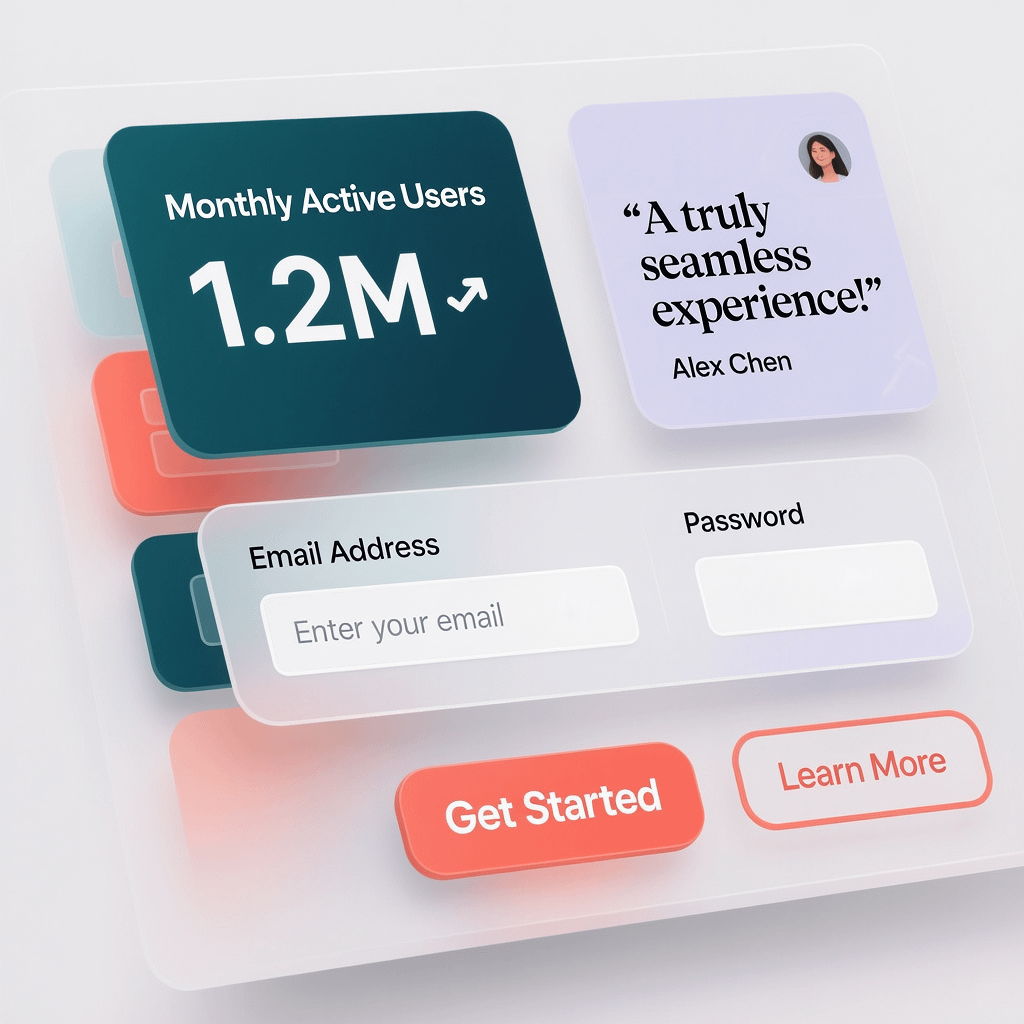
Pair a crisp headline with a benefit focused subhead and a contrasting CTA. Add a proof bar with logos or results. That is conversion friendly website design.
7) Trust signals that feel earned
Use specific testimonials with names, roles, and results. Add third party badges sparingly. Website design that shows real outcomes builds momentum.
8) Visual hierarchy that guides the eye
Control contrast, size, and spacing. Use a clear type scale and consistent components. When website design scaffolds attention, your message lands faster.
9) Copy that cuts to the chase
Write short, active sentences. Lead with outcomes, then explain features. Website design works best when words do the heavy lifting.
10) Performance that meets Core Web Vitals
Target LCP under 2.5s, CLS under 0.1, and a responsive input experience. Compress images, preload hero assets, defer non critical scripts, and use a CDN.
11) Image compression and modern formats
Serve WebP or AVIF for photos and SVG for icons. Lazy load below the fold. This keeps website design fast without sacrificing visual quality.
12) On page SEO that respects humans
Use intent aligned keywords in titles, H1s, and intros. Add descriptive alt text and internal links that help users. Great website design supports search, not the other way around.
13) Accessibility baked in
Meet WCAG 2.2. Test keyboard navigation, focus states, and color contrast. Accessible website design improves UX for everyone and protects your brand.
14) Forms that are friendly and fast
Ask for less. Use clear labels, inline validation, and logical tab order. The best website design removes friction right where the sale begins.
15) Schema markup for rich results
Add Organization, Product, FAQ, and HowTo schema where relevant. Structured data helps search engines understand your content and can improve CTR.
16) A maintainable design system
Create a style guide for color, type, spacing, and components. Reuse patterns. Scalable website design keeps your team fast and consistent.
17) Editorial workflows that respect reality
Non technical teammates should be able to update copy and images safely. Website design aligned to a sane CMS reduces bottlenecks and errors.
18) Analytics, dashboards, and QA
Track conversions, scroll depth, and interactions. Use dashboards that connect revenue to channels. Website design decisions should follow data.
19) Security and routine updates
Keep plugins and core updated, use HTTPS, and enforce strong credentials. Secure website design earns trust before anyone reads a line of copy.
20) Smart hosting and caching layers
Pick hosting that prioritizes uptime and speed. Use server side and browser caching. This helps website design stay fast under real traffic.
21) A no stress launch checklist
Validate redirects, metadata, schema, analytics, and forms. Test on real devices. Great website design ships clean and improves weekly from there.
Website design portfolio landing that converts
You do not need 100 case studies. You need a focused portfolio landing page that proves capability in seconds. Use a headline that states your niche and a grid that shows outcomes, not just pretty pictures.
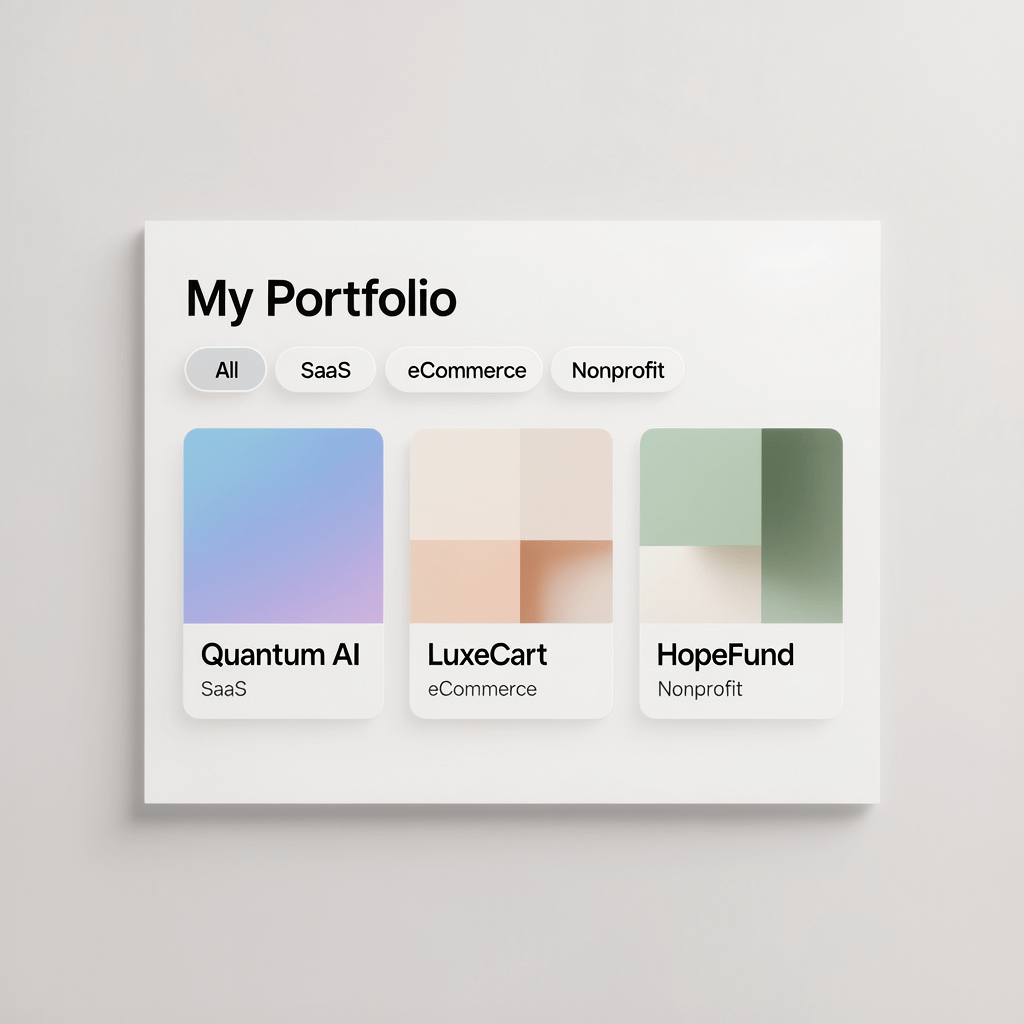
Structure to copy
- Hero: niche and value claim, plus a CTA to start a project.
- Filterable grid: by industry, platform, or objective.
- Case study cards: problem, approach, result. Keep it short.
- Social proof: select testimonials or rating snippets.
- CTA banner: invite contact with a low friction message.
Strong website design pairs visuals with proof. Include metrics like conversion lift, speed gains, or revenue impact to anchor credibility.
Our website design process at a glance
Clarity beats chaos. Here is the high level flow we recommend for website design projects that need speed and quality.
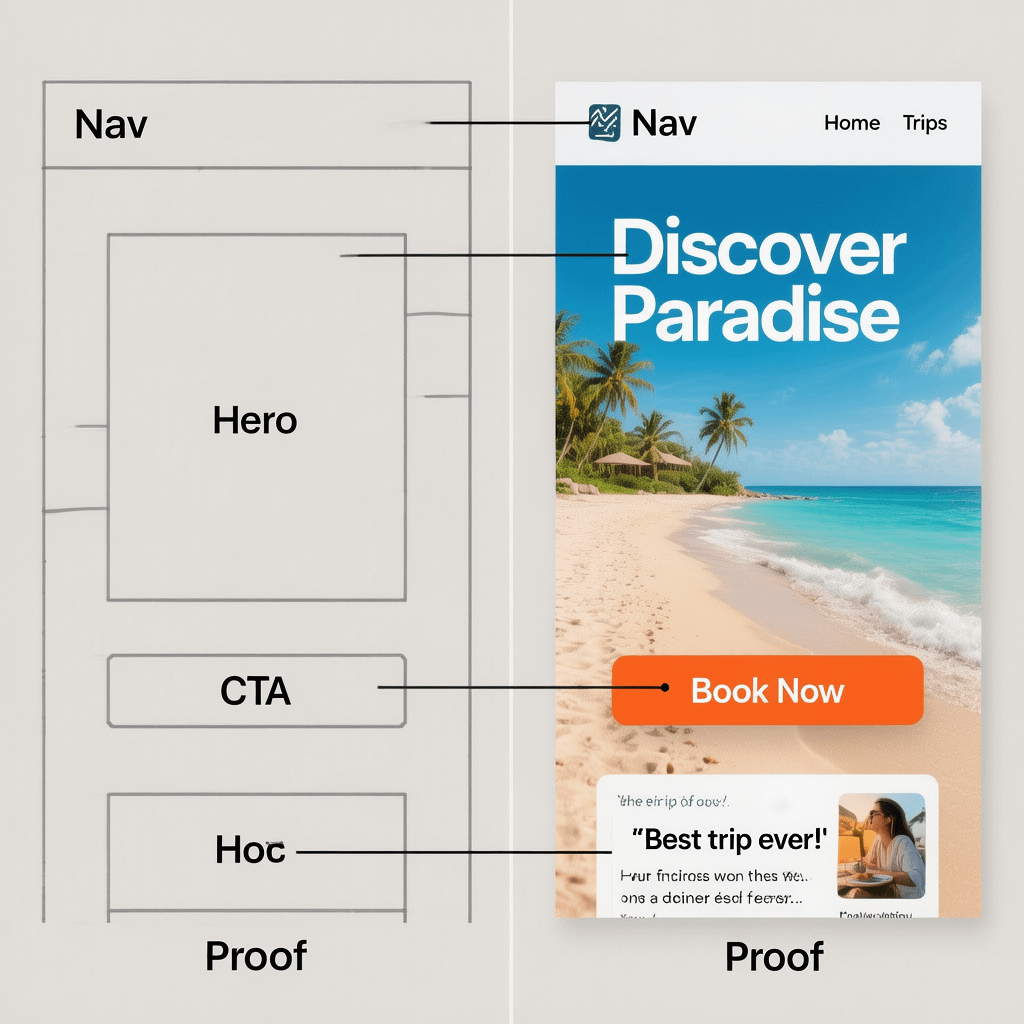
- Discovery and goals: confirm audience, jobs to be done, and KPIs.
- IA and content plan: map a sitemap that aligns with intent and internal linking.
- Wireframes: design key templates and validate flows early.
- Visual design: build a reusable system for components and states.
- Development: code accessible, SEO ready templates in your CMS.
- Optimization: compress images, implement caching, and meet Core Web Vitals.
- Launch and iterate: QA forms, schema, metadata, and analytics, then ship.
If you need a results focused partner, SEO services that support your website design make a measurable difference after launch.
Design system essentials for consistent website design
Consistency is a conversion tool. When patterns repeat, users learn faster and move with less friction. A solid design system makes that possible.
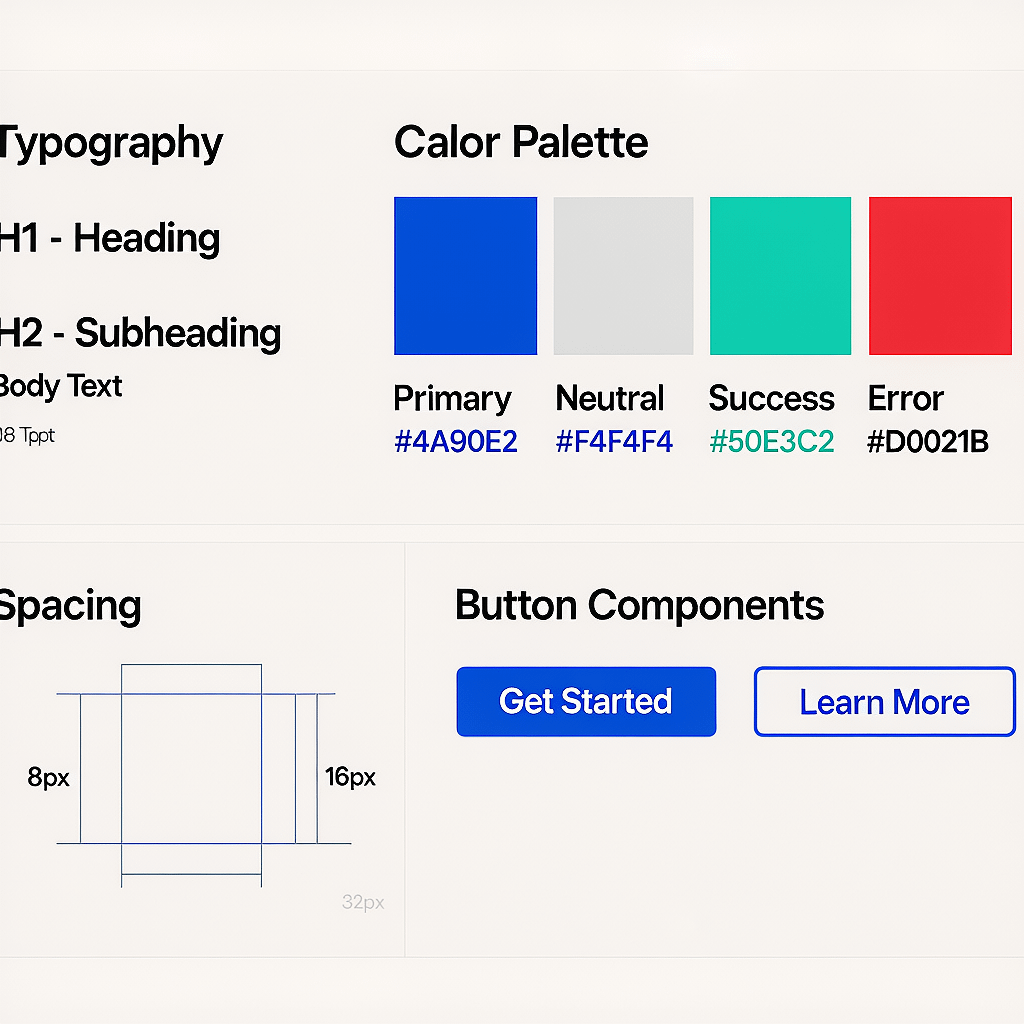
Build a simple style guide
- Color tokens with contrast checked pairs.
- Type scale for headings, body, and UI microcopy.
- Spacing system for padding, margins, and gaps.
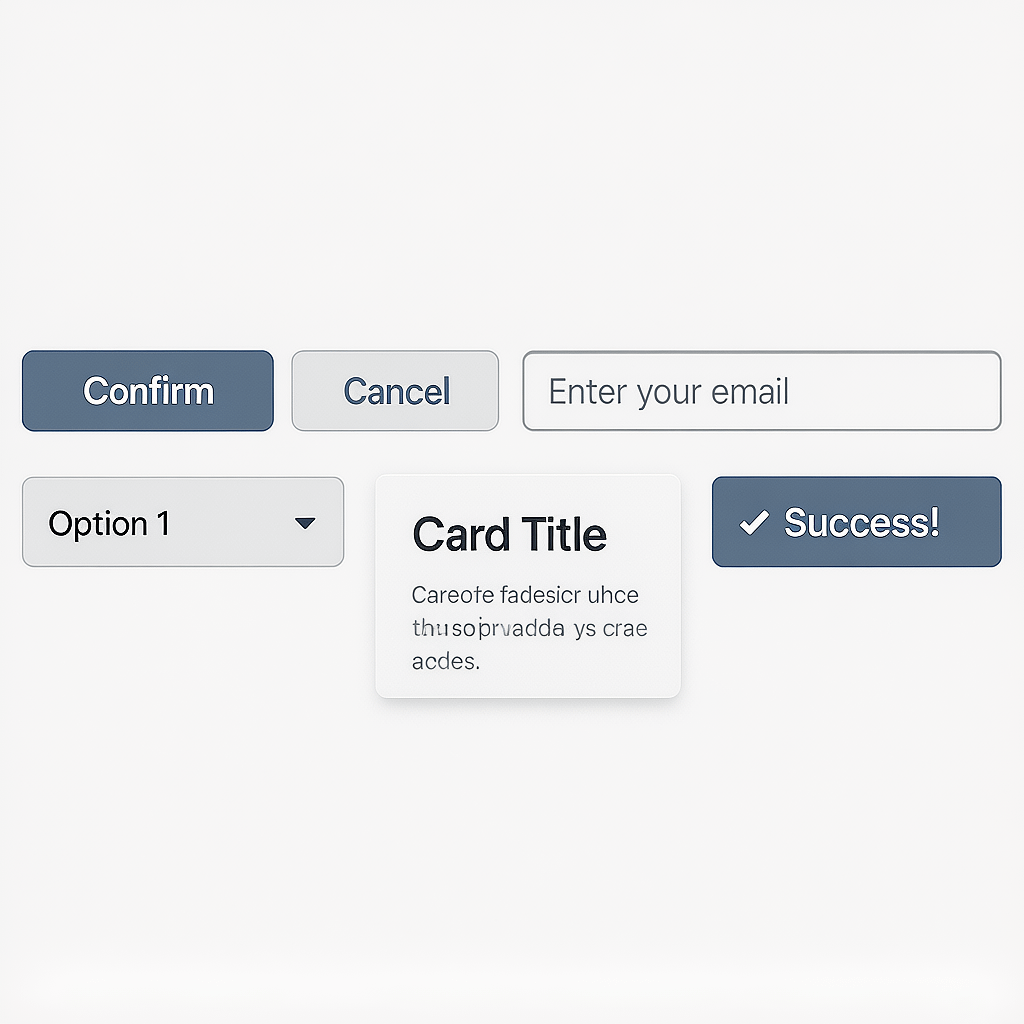
- Buttons, form fields, cards, and alerts as reusable parts.
- States for hover, focus, disabled, and error.
This is where website design moves from art to system. Fewer one offs means faster builds and easier maintenance.
Speed and Core Web Vitals for website design
Speed is UX. Users bounce when pages stall. Fast website design keeps people engaged long enough to act.
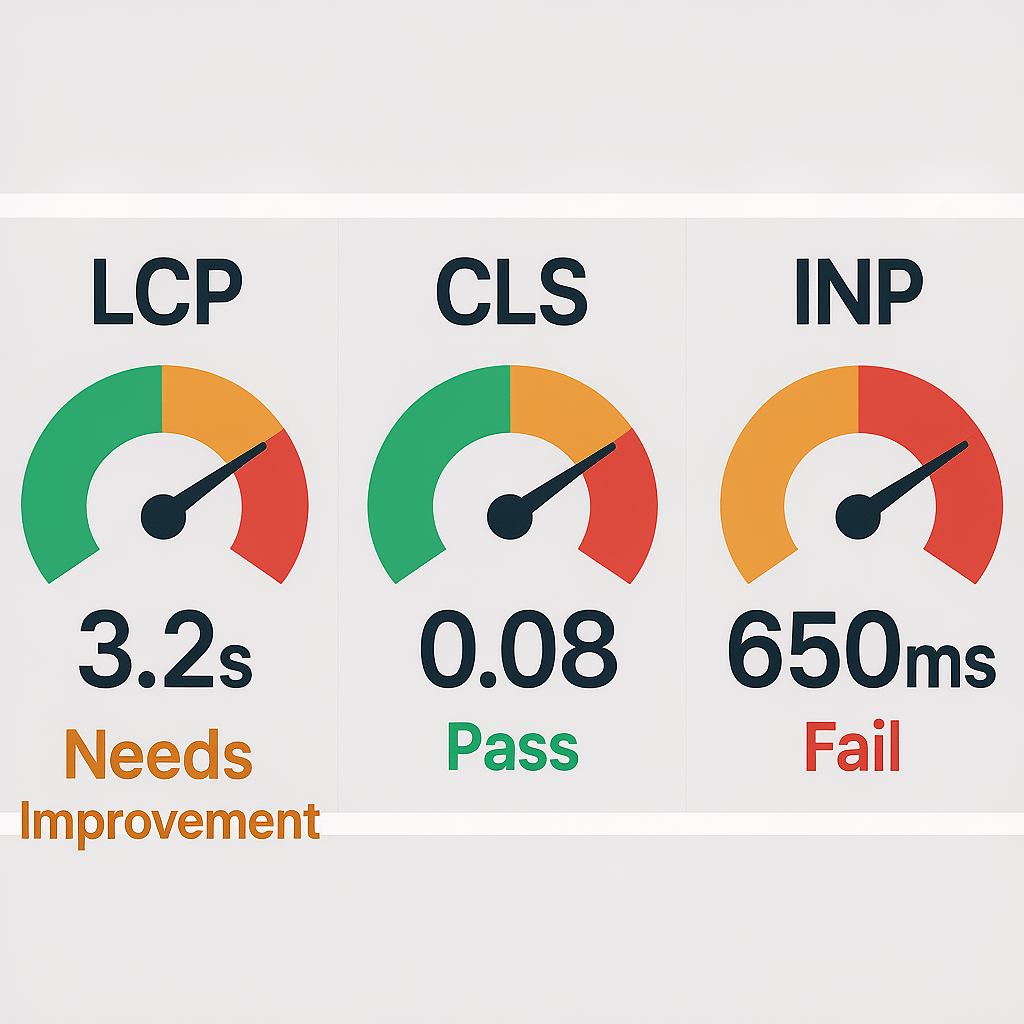
Quick wins that compound
- Compress and resize images. Use WebP or AVIF where possible.
- Preload hero images and critical fonts to improve perceived speed.
- Defer non critical JavaScript and audit third party tags.
- Use server side caching and set long browser cache TTLs.
- Deliver assets from a CDN close to users.
Call this invisible design. When your website design loads instantly and feels responsive, users attribute competence to your brand.
Content that makes website design sell
Design amplifies content. Without strong copy, even the best website design feels thin. Focus on clarity, proof, and structure.
Write for outcomes first
- Start pages with the job to be done, not features.
- Use buckets like Benefits, Proof, Features, Pricing, FAQs.
- Cut fluff and avoid jargon. Plain language wins.
Make CTAs obvious and helpful
- Primary CTA per page, with a softer alternative nearby.
- Use verbs that match the next step like Get a quote or See pricing.
- Keep forms short and honest about next steps.
Your website design should guide visitors from awareness to decision with guardrails, not friction.
SEO that supports website design, not the other way around
Search and UX work together. Structure pages around intent and make them easy to scan. On page details help search engines understand your content.
- Use descriptive titles and meta descriptions that promise value.
- Place the primary keyword in natural spots like H1, intro, and one subheading.
- Create internal links that move users toward conversion.
When SEO and website design align, you win both traffic and conversions. For deeper help after launch, explore analytics and reporting that reveal what to fix next.
Accessibility is a core requirement for website design
Accessibility is not extra. It is a must. It raises quality, widens reach, and reduces risk. Inclusive website design works better for everyone.
- Ensure color contrast passes for text and UI elements.
- Provide keyboard access and visible focus states.
- Write alt text that describes function and meaning, not just appearance.
- Label form inputs and associate errors clearly.
Run audits during design and development. Then recheck during QA with screen readers and automated tools.
Tech stack choices for future proof website design
Pick tools that your team can run. You do not need the flashiest stack. You need stability, speed, and control.
- CMS: WordPress with a lean page builder or custom blocks for control and speed.
- Front end: Modern HTML, CSS, and light JavaScript. Consider headless for advanced needs.
- Hosting: Providers with strong caching and global CDNs.
- Monitoring: Uptime, performance, and error tracking.
Plan for updates. Website design that ignores maintenance slows down and grows brittle fast.
Governance that keeps website design healthy
Treat your site like a product with a backlog. Small, steady releases beat big, risky overhauls. Schedule reviews and keep a change log.
- Monthly content refresh and link checks.
- Quarterly UX and performance audits.
- Bi annual accessibility reviews with new WCAG changes.
When you work in small cycles, your website design stays sharp and aligned to goals.
Case study card formula for portfolio pages
Do not bury the lede. Put the result first. Then explain the problem and the approach. Keep it short and skimmable.
- Result: +62 percent leads in 90 days.
- Problem: Slow pages and confusing nav.
- Approach: New IA, focused messaging, image compression, and caching.
Repeat this pattern. Website design that displays outcomes makes decisions easy for buyers.
Preflight checklist for a clean website design launch
Save this list. It prevents 90 percent of launch drama and keeps your website design on track.
- Metadata: unique titles, meta descriptions, and OG tags.
- Schema: Organization, Article, Product or Service, and FAQs if relevant.
- Redirects: map old URLs to new paths with 301s.
- Links: validate internal links and fix broken paths.
- Forms: submit and verify email or CRM handoff.
- Speed: compress images and verify caching is active.
- QA: real device testing on WiFi and mobile data.
This is where a seasoned team shines. If you want help scoping or shipping, contact our team to talk timelines and goals.
Why many redesigns fail and how to avoid it
Most redesigns focus on aesthetics and ignore outcomes. Teams ship pretty pages with no measurable lift. That is not website design. That is decoration.
Flip the script. Set a target. Move one metric per release. Test, learn, and repeat. That is how website design becomes a growth loop.
Keep ego out of it. The best website design serves users first and lets data lead the next sprint.
Examples of focused sections inside website design
Here are three sections you can copy into your next build. Each one is short and purpose built to support conversion and trust.
Outcome bar
Icons plus short results like 3x faster load time or 41 percent higher conversion. Place it near the hero to build momentum.
Objection crusher
Three columns that address price, timing, and support. Keep answers short and link to details for the curious.
Process snapshot
Five step timeline with short captions and a CTA below. Users want to see your map before they start the trip.
Editing experience that respects your team
The CMS is part of website design. If your team cannot update content quickly, your pages will fall behind and conversions will stagnate.
- Lock design tokens and guard rails in blocks or components.
- Expose fields for titles, meta, alt text, and schema snippets.
- Allow image compression on upload and generate responsive sizes.
With a friendly editor, website design can evolve weekly without breaking brand consistency.
Measure what matters after launch
Traffic is not success by itself. Measure what moves the business. Tie website design changes to conversions, not vanity metrics.
- Lead quality and close rate by channel.
- Time to first paint and input delay for key pages.
- Form completion rate by device and field.
- Scroll depth and CTA click through rate on landing pages.
Review weekly for the first month, then monthly. Small, targeted updates keep website design sharp and effective.
When to invest in a full website design vs a refresh
Choose a full rebuild when your stack holds you back or your positioning has changed. Choose a refresh when the brand is strong and UX needs polish.
- Rebuild: new brand, new IA, performance issues, major UX debt.
- Refresh: copy edits, component tweaks, speed upgrade, small layout changes.
Either way, align scope to outcomes. That keeps website design time boxed and ROI focused.
Maintenance that protects website design over time
Sites slow down and drift without care. Put maintenance on a schedule so your website design stays fast, secure, and relevant.
- Monthly updates to core, plugins, and dependencies.
- Automated backups and quick restores tested quarterly.
- Performance checks with image compression and caching review.
- Security scans and uptime alerts with clear escalation paths.
A steady cadence is cheaper than crisis work. This is where Brand Nexus Studios supports many teams with hosting and upkeep while they focus on content.
Homepage copy blocks that sharpen website design
Borrow these copy templates. They are short, direct, and easy to adapt to your niche.
Headline
The fastest way to get from problem to result for [audience].
Subhead
Get a site that loads fast, reads clearly, and converts visitors into customers with less friction.
CTA
See plans and timeline
Proof strip
Trusted by [niche], [niche], and teams at [brand].
Use them as a starting point. The right words make website design work harder with less design effort.
Common pitfalls that slow website design
Scope creep, late content, heavy plugins, and unclear ownership kill momentum. Plan for these from day one.
- Lock scope and change control in writing.
- Assign one content owner with authority.
- Audit plugins and scripts before install.
- Time box rounds of feedback with clear deadlines.
Protect the project. Great website design is as much project management as it is pixels and code.
Mini checklist: what to review on every page
- Primary goal and CTA visible without scrolling.
- Headline that says who it is for and what they get.
- Proof element in the first screen.
- Scannable copy with short paragraphs and lists.
- Optimized images with descriptive alt text.
- Internal links that guide the next step.
- Speed, accessibility, and analytics verified.
Run this list weekly for a month after launch. Small wins compound. That is how website design keeps paying back.
FAQs
Quick answers to common questions about website design and modern builds.
What is the average cost of website design for a small business?
Most small business projects land between R25,000 and R150,000 depending on scope, features, and integrations. eCommerce often costs more.
How long does professional website design take?
Expect 4 to 8 weeks for a typical 10 to 15 page build. Content readiness and approvals drive the timeline more than code.
Which CMS is best for website design in 2025?
WordPress stays a good balance of control and speed. Headless is great when you need advanced performance or multi channel content.
How do I measure ROI from a redesign?
Track conversions tied to revenue and compare against your baseline. Use dashboards to see impact by channel and page.
Do I need maintenance after launch?
Yes. Updates, security, speed checks, and backups protect your investment and keep website design on target.
What makes a portfolio page convert?
Clear positioning, filterable examples, concise case cards with metrics, and a visible CTA. Fast images matter here too.
How important is accessibility?
It is essential for inclusivity and compliance. Follow WCAG 2.2 and test with keyboard and screen readers during QA.
References
If you want a site that pairs speed with clarity, Brand Nexus Studios can help you plan, design, build, host, and maintain a high converting presence without drama.
Subscribe for more practical guides, drop a comment with your top challenge, share this with your team, or email us at info@brandnexusstudios.co.za to start a conversation.
About the Author




