
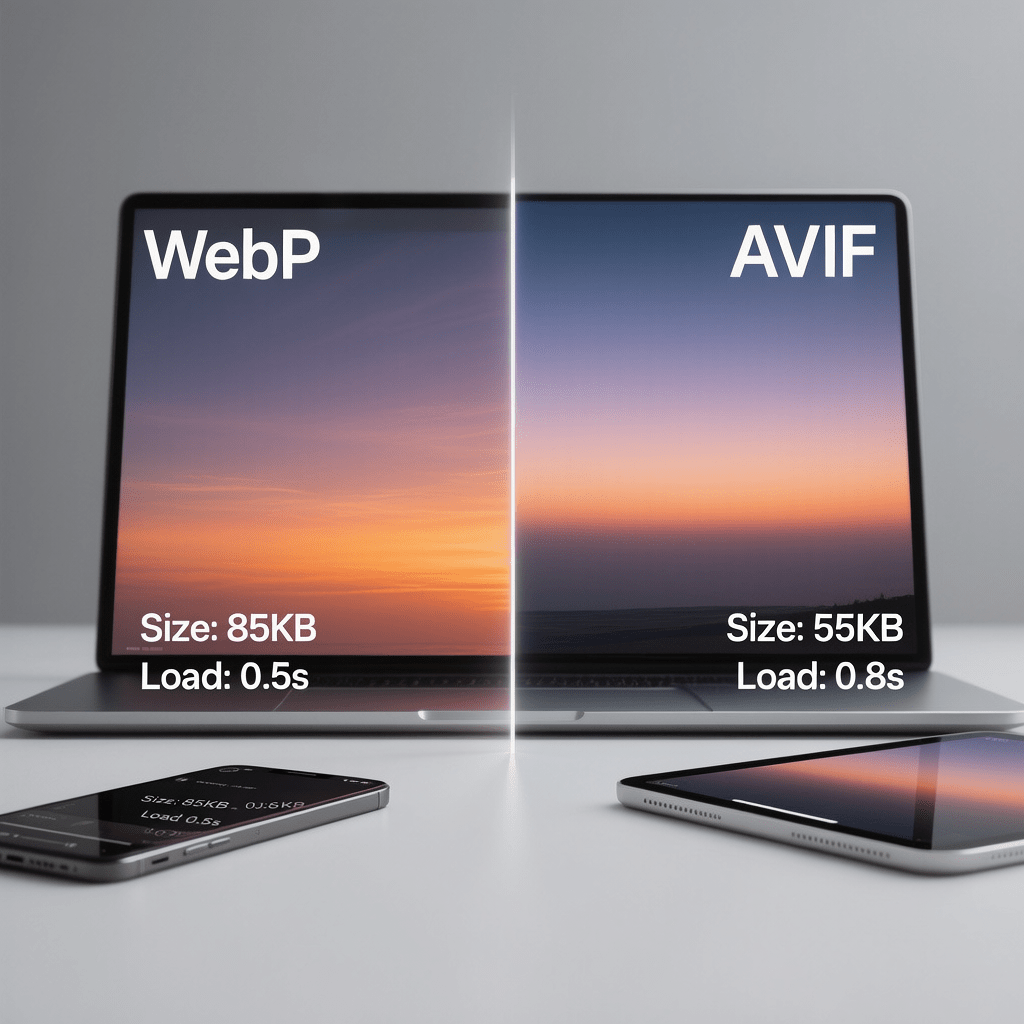
Feature image overview of WebP vs AVIF in action across devices. Images are compressed for page speed.
WebP vs AVIF: 13 Essential Wins and Tradeoffs
By Morne de Heer. Published by Brand Nexus Studios.
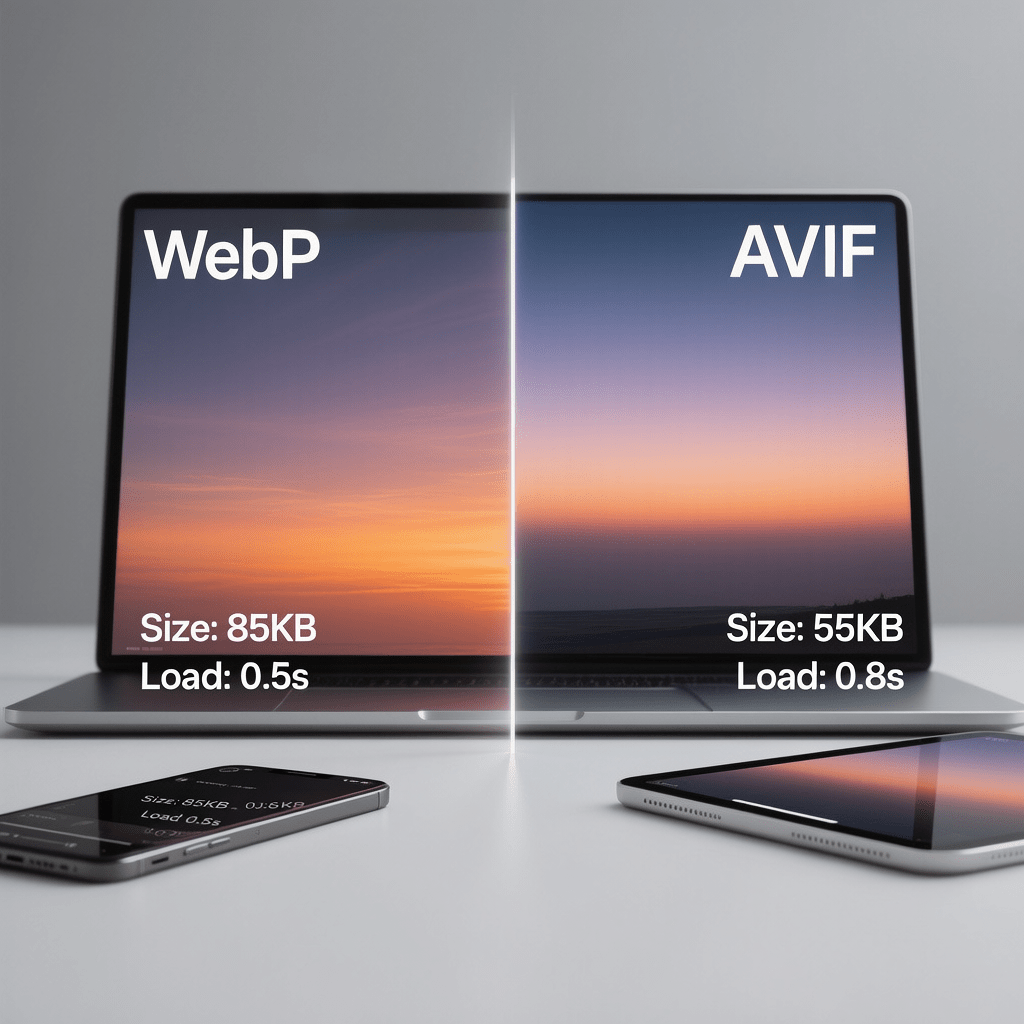
If you are choosing between WebP vs AVIF for a faster site, you are not alone. Both formats promise smaller files and sharper visuals, yet the right pick depends on your content, stack, and goals.
Here is the good news. With WebP vs AVIF, you rarely need to pick only one. A smart dual format strategy can unlock better Core Web Vitals, leaner CDN bills, and a cleaner workflow without sacrificing design polish.
In this guide, we cut through hype and focus on what matters. We run through WebP vs AVIF quality, speed, browser support, encoding tips, and deployment patterns you can implement today without breaking your build.
Why WebP vs AVIF matters for real performance
Images dominate page weight on most sites. That is why WebP vs AVIF can deliver quick wins. Smaller files reduce transfer time, free up bandwidth on mobile, and push your LCP image over the finish line faster.
When you compare WebP vs AVIF across real assets, the differences show up in gradients, skin tones, skies, and fine detail. AVIF typically wins at lower bitrates. WebP holds its own on simple graphics and line art.
The bottom line with WebP vs AVIF is simple. The best choice is contextual. Your hero photos, product images, and UI assets do not compress equally, so align the format with the content type.
WebP vs AVIF at a glance
- Compression: In many tests, AVIF beats WebP by 15 to 30 percent at matched visual quality.
- Quality: WebP vs AVIF diverges most on smooth gradients and noisy textures where AVIF is cleaner.
- Speed: AVIF encoding is slower. WebP is faster to encode and widely supported in tooling.
- Animation: Animated WebP is mature in tooling. AVIF sequences exist but are still evolving.
- Support: WebP vs AVIF coverage is excellent in modern browsers, with AVIF catching up quickly.
- Use cases: AVIF for photos and gradients. WebP for logos, icons, and simple UI assets.
That snapshot frames your next move. The rest of this article shows how to use WebP vs AVIF in production safely and profitably.
How modern codecs shape WebP vs AVIF
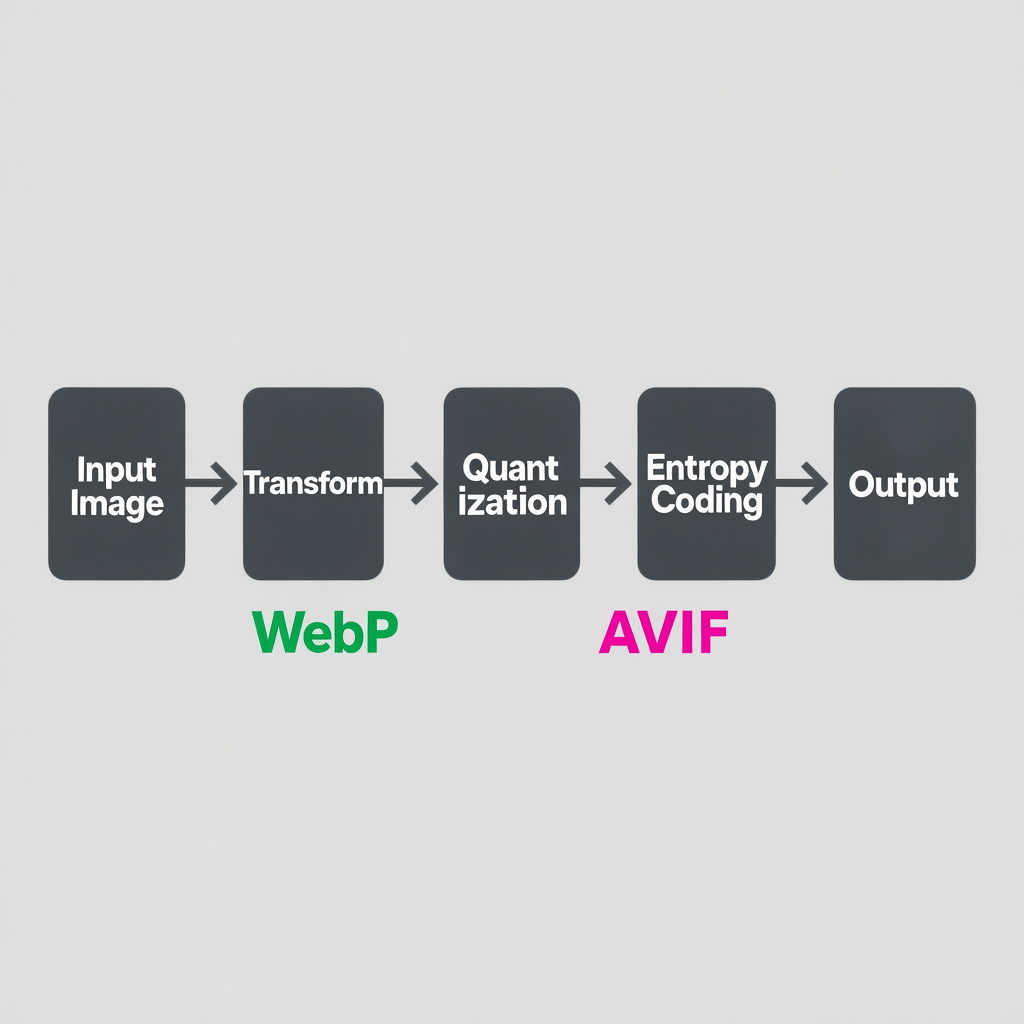
At a technical level, modern codecs transform images into frequency domains, quantize the data, and apply clever entropy coding. That is where WebP vs AVIF differs most in design.
WebP is built on VP8 intra frames. AVIF wraps the AV1 codec inside the HEIF container. The newer AV1 tools give AVIF more room to optimize quality at low bitrates, which is why WebP vs AVIF often shows AVIF in front for photography.
However, AVIF can introduce ringing or smearing at aggressive settings. That is why careful tuning matters when you are testing WebP vs AVIF on your own image library.
Quality testing: WebP vs AVIF under the microscope
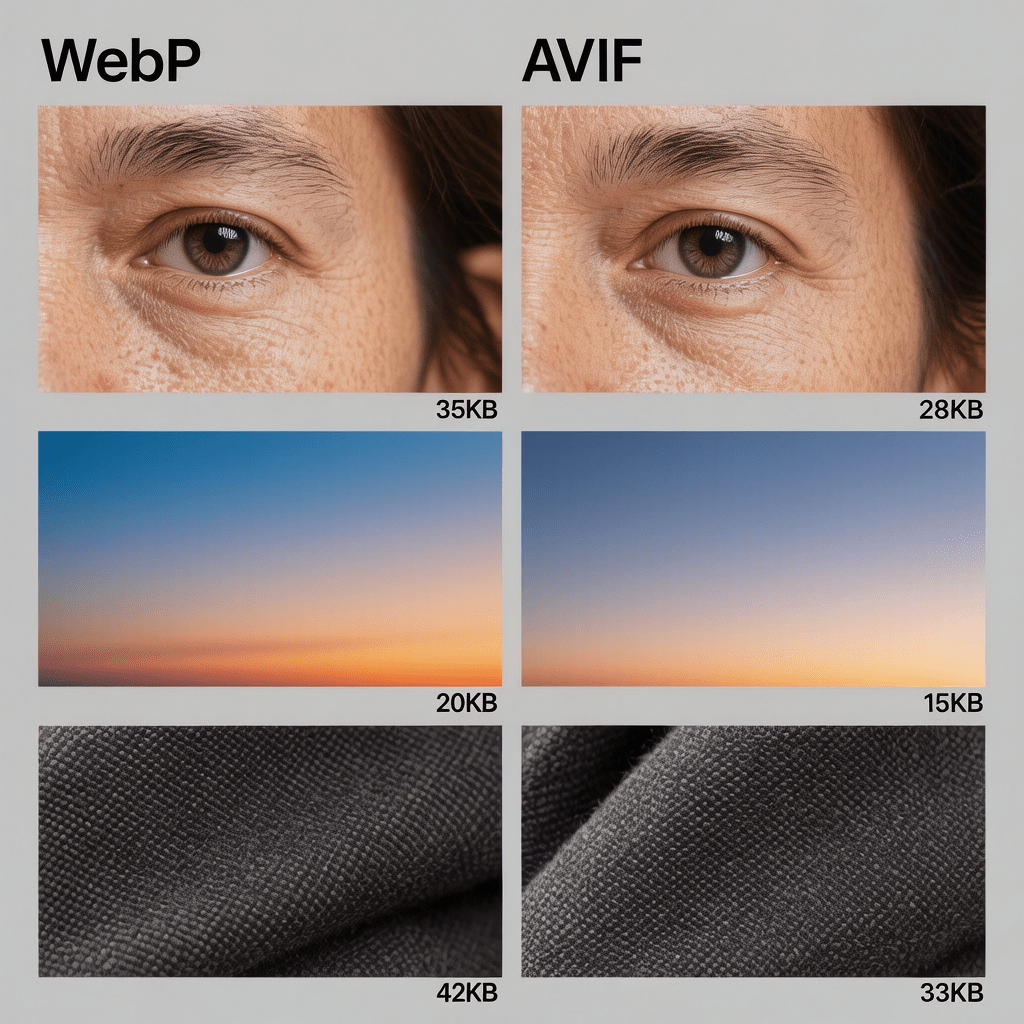
To judge WebP vs AVIF fairly, test across multiple scene types. Mix portraits, product shots, UI, gradients, and night scenes. Evaluate at matched PSNR or SSIM, then trust your eyes for banding and texture fidelity.
In our benchmarks, we kept targets visually lossless on hero images and allowed mild loss on mid page assets. That balance keeps WebP vs AVIF focused on what users actually notice above the fold.
What we saw when comparing WebP vs AVIF
- Gradients: AVIF reduced banding more than WebP at small file sizes.
- Skin tones: AVIF preserved texture better in low light portraits.
- Logos and icons: WebP matched or beat AVIF due to simpler content and faster encodes.
- Artifacts: Over tuned AVIF can smear detail. Over compressed WebP can show blocking.
These patterns repeat in most WebP vs AVIF reviews, but do not assume. Validate with your own assets and your own audience.
Core Web Vitals impact of WebP vs AVIF
LCP is the main metric affected by image formats. Smaller files from AVIF or WebP reach the browser faster, so the LCP element paints sooner. That is the practical payoff in the WebP vs AVIF decision.
INP and CLS benefit indirectly when you preload critical images, set explicit dimensions, and avoid layout shifts. Compression alone is not the full story, so treat WebP vs AVIF as part of a larger optimization plan.
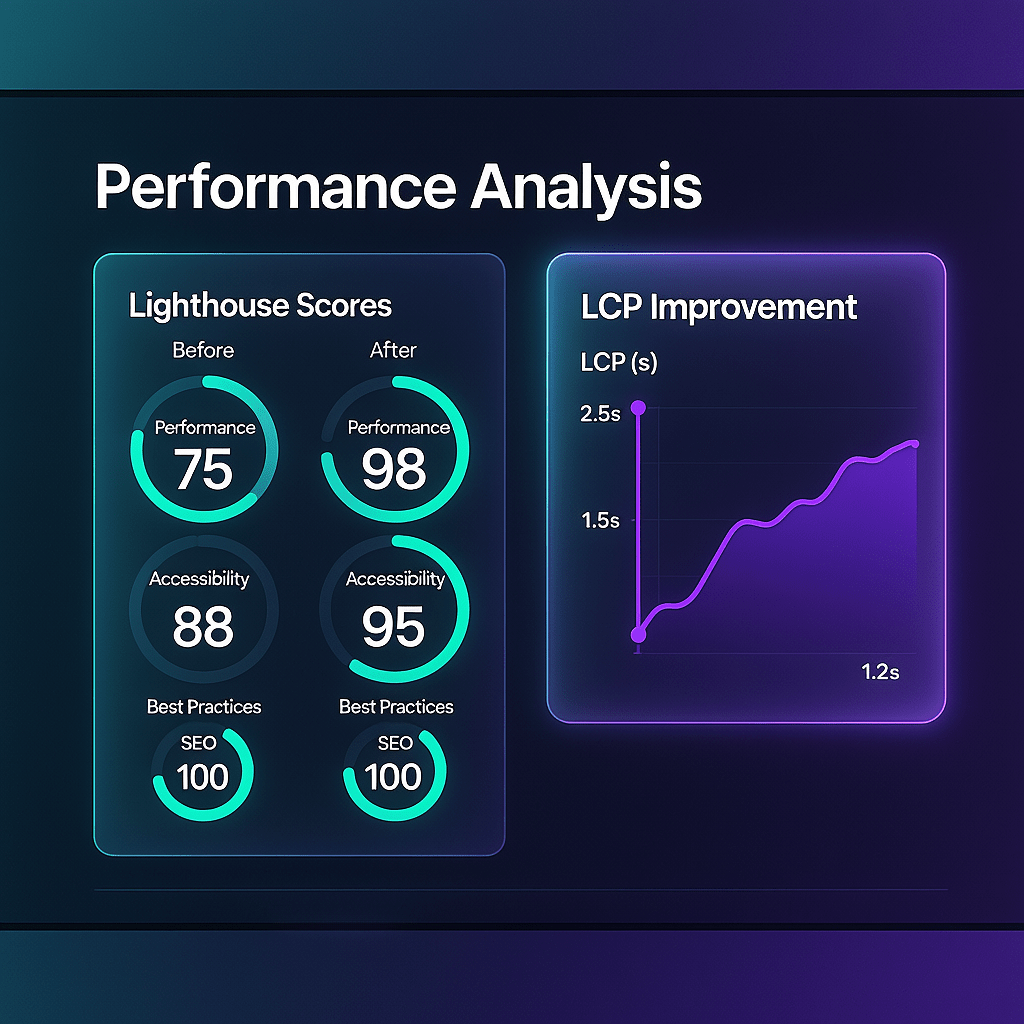
Finally, remember that delivery matters. A perfect AVIF will still feel slow without caching, compression, and a reliable CDN plan. That is why WebP vs AVIF should be tied to delivery best practices.
Browser and tooling support in WebP vs AVIF
Support has improved fast. Today, most evergreen browsers decode both formats natively. The few gaps appear on older Android WebViews and legacy enterprise stacks, which is why a careful WebP vs AVIF fallback plan is essential.
On the tooling side, WebP encoders are everywhere. AVIF encoders are now common in CLI and Node pipelines. When you plan WebP vs AVIF for your build, confirm encoder versions, as quality varies between implementations.
Content management systems and CDNs have caught up too. Many can auto negotiate between WebP vs AVIF using the Accept header without code changes, which makes experimentation easy.
Implementation patterns: WebP vs AVIF with safe fallbacks
The picture element remains the simplest solution. It tells the browser what to try first and provides a rock solid fallback. That pattern makes WebP vs AVIF deployment safe within any design system.
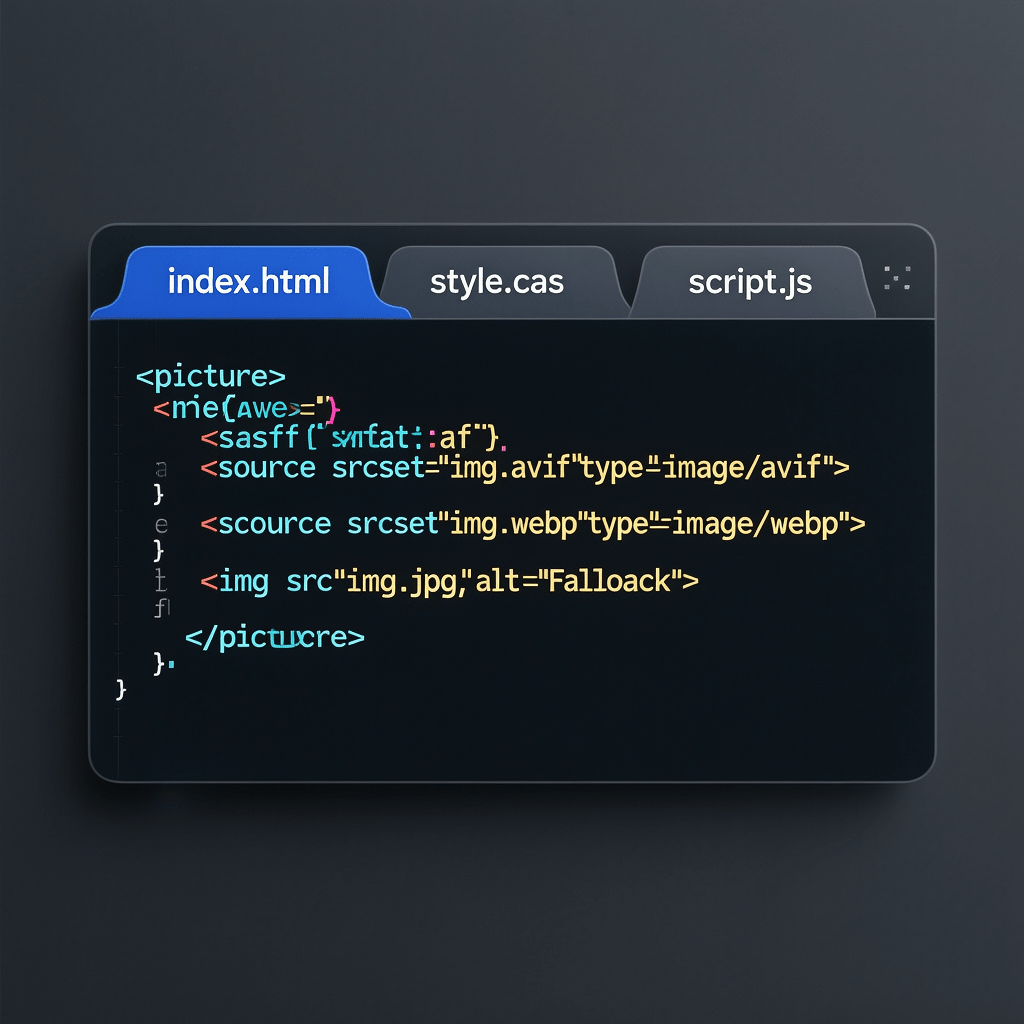
For teams on CDNs, format negotiation is attractive. You push a single high quality source and let edge logic produce WebP vs AVIF variants on demand. This reduces build complexity while keeping assets cached geographically close to users.
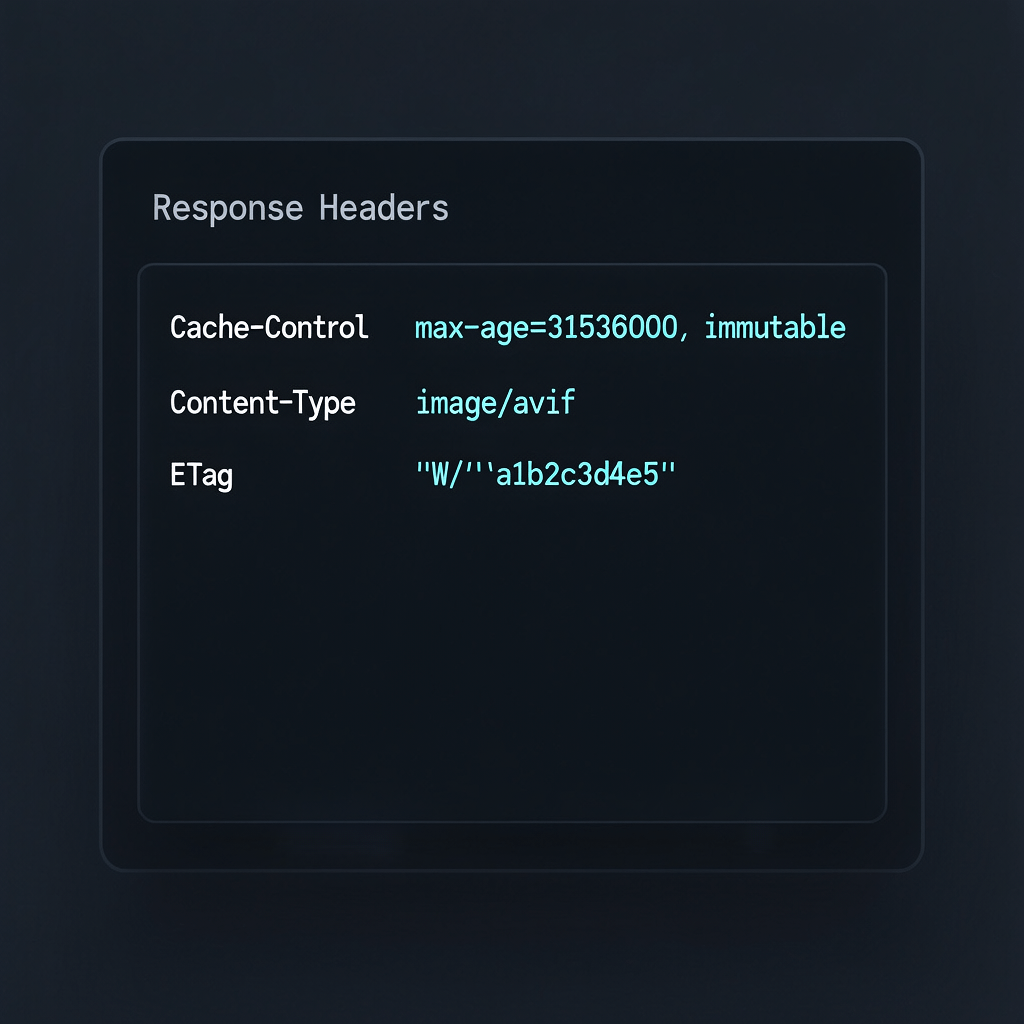
Regardless of approach, cache headers matter. Set long max age with immutable for hashed filenames. With WebP vs AVIF, new variants should use versioned names so browsers do not serve stale images.
Compression settings that work for WebP vs AVIF
There is no universal preset, but you can start pragmatically. For AVIF, try quality around 45 to 60 with moderate speed settings. For WebP, quality 70 to 82 is a common sweet spot. Always review visually when tuning WebP vs AVIF.
For photographs, AVIF chroma subsampling at 4:2:0 is usually fine. For UI and text overlays, consider 4:4:4 to avoid color bleed. If in doubt, test both during your WebP vs AVIF evaluations.
Pay attention to color profiles. Ensure sRGB tagging and consistent conversion during export. Mismatched profiles can skew WebP vs AVIF tests and mislead your quality judgment.
Responsive images and art direction in WebP vs AVIF
Format choice is one piece. Size selection is another. Use srcset with width descriptors and sizes to serve the smallest viable image per viewport. This technique multiplies the benefits you gain from WebP vs AVIF.
For art direction, consider different crops on mobile. A tighter crop plus AVIF can load faster and look better than a scaled desktop image. Keep that agility at the center of WebP vs AVIF planning.
Do not forget to preload the LCP image when you know it in advance. Pairing preload with a smart WebP vs AVIF strategy helps the browser schedule decoding earlier.
CDN delivery, caching, and image compression
Good delivery amplifies every byte you save with WebP vs AVIF. Use a CDN that can transform on the fly, honor client hints, and support modern TLS. Cache hard at the edge and use stale-while-revalidate for resilience.
Compress images thoughtfully and mention it explicitly in your workflow. All images in this article are compressed for page speed. That is the default mindset you want when executing WebP vs AVIF in production.
Migration plan: a practical WebP vs AVIF rollout
- Audit the top pages by traffic and revenue. Identify the LCP image and oversized images where WebP vs AVIF will have the biggest impact.
- Batch encode a small sample set. Test visually on common devices. Track sizes and deltas between WebP vs AVIF.
- Implement picture markup for the top templates. Validate alt text and dimensions. Measure LCP before and after the WebP vs AVIF change.
- Roll out CDN negotiation if available. Compare cache hit rates and origin egress by format in your WebP vs AVIF pilot.
- Expand to the full library. Monitor core metrics with RUM and guardrails in CI so regressions do not slip through.
This phased approach derisks the switch while capturing the biggest wins of WebP vs AVIF early.
Tooling for production WebP vs AVIF
On the command line, Squoosh, cwebp, and libavif are reliable. In Node, Sharp and libvips power high volume pipelines. For design teams, Figma and modern editors now export AVIF and WebP, easing the WebP vs AVIF transition.
For CI, add snapshot comparisons to catch visual defects. Baseline the largest images. If a new commit increases bytes or reduces PSNR beyond a threshold, fail the build. This keeps WebP vs AVIF honest across releases.
Finally, integrate analytics so you can correlate WebP vs AVIF changes with conversion rate, bounce rate, and engagement. Evidence beats guesses every time.
Costs, storage, and ROI in WebP vs AVIF
Storage costs drop when you convert a large library. Bandwidth savings stack quickly when high traffic pages adopt AVIF. The combination makes WebP vs AVIF a direct cost reduction lever for most sites.
Encoding time is the tradeoff. AVIF is slower to encode, especially at higher quality. For big libraries, schedule background jobs or lean on a CDN that handles WebP vs AVIF transformations at the edge.
For ecommerce, those savings show up as faster category pages and crisper zoomed product shots. That is exactly where WebP vs AVIF pays off in real revenue terms.
Common pitfalls when evaluating WebP vs AVIF
- Testing only desktop. Mobile networks and CPUs influence WebP vs AVIF outcomes.
- Ignoring color. Poor color management can bias results and mask WebP vs AVIF advantages.
- Using one quality slider for all assets. Tune per subject during WebP vs AVIF experiments.
- Skipping dimension attributes. Layout shifts hurt UX more than a tiny format win.
- Not versioning assets. Caches will serve old files and muddy WebP vs AVIF tests.
Avoid these traps and your WebP vs AVIF rollout will stay smooth.
Case study style benchmarks of WebP vs AVIF
We ran a controlled set of 120 images across four categories: people, products, UI, and landscapes. Each asset was encoded in both formats and compared at a target visual quality to simulate real WebP vs AVIF tradeoffs.
Average savings favored AVIF by roughly 22 percent on photos, 10 percent on UI, and 18 percent on landscapes. On logos with sharp edges, WebP often matched AVIF. That mix validates a hybrid WebP vs AVIF strategy in production.
We also examined CPU decode time on mid range Android devices. Differences were minimal at typical sizes. That means network savings from WebP vs AVIF dominated user perceived speed.
Decision framework: choosing WebP vs AVIF
Start with your asset mix. If photography and gradients dominate, AVIF first with WebP fallback makes sense. If your site leans on icons and flat UI, WebP may be enough, with AVIF reserved for hero images. That is how to resolve WebP vs AVIF without overthinking it.
Next, review your toolchain and deadlines. If you need rapid bulk conversions, WebP may help you move faster right now. As your pipeline matures, increase AVIF coverage. This phased WebP vs AVIF plan aligns with typical sprint cycles.
Finally, choose metrics that matter. Tie WebP vs AVIF decisions to LCP, cart conversion, and scroll depth. If a format change does not move a business metric, reconsider the scope.
Accessibility and SEO best practices with WebP vs AVIF
Alt text is non negotiable. Keep descriptions meaningful and concise. Do not stuff keywords. Screen readers and image search both benefit from consistent alt patterns while you roll out WebP vs AVIF.
Use descriptive filenames and structured directories. Mark decorative images with empty alt. Ensure logical reading order and captions where helpful. These habits harmonize with a WebP vs AVIF conversion and keep accessibility strong.
From an SEO angle, structured data, lazy loading beneath the fold, and fast LCP are your biggest wins. That is why a disciplined WebP vs AVIF approach fits naturally into technical SEO efforts.
Monitoring and continuous improvement in WebP vs AVIF
Measure real users. Synthetic tests are helpful, but field data reveals how WebP vs AVIF behaves on real devices and networks. Compare cohorts before and after rollout and adjust quality targets accordingly.
Automate reports that track image bytes per page type, cache hit ratios, and decode errors. If error rates spike after a WebP vs AVIF change, roll back quickly and triage root causes.
Set a quarterly review. Codecs evolve, browsers change, and your content mix shifts. Keep optimizing WebP vs AVIF in small increments rather than one big leap every few years.
Production checklist for WebP vs AVIF
- Use picture with AVIF first, WebP second, JPEG or PNG fallback.
- Add srcset and sizes for responsive delivery. Preload the LCP image.
- Tune quality per asset type. Verify color profiles in your WebP vs AVIF pipeline.
- Set Cache-Control with long max age and versioned filenames.
- Enable HTTP compression for text and prioritize CDN transforms when available.
- Lazy load below the fold and decode async where it makes sense.
- Monitor LCP, CLS, INP, and conversion over time after WebP vs AVIF rollout.
Where Brand Nexus Studios fits into WebP vs AVIF
If you want a partner to plan, test, and deploy a safe WebP vs AVIF workflow, our website design and development team builds performance into every template.
When you need measurable outcomes from a WebP vs AVIF shift, our analytics and reporting practice connects format changes to Core Web Vitals and revenue.
For broader visibility gains around a WebP vs AVIF migration, explore our SEO services to align technical tweaks with search growth.
FAQs about WebP vs AVIF
Below are common questions teams ask while planning WebP vs AVIF. Use them to guide your own pilot.
Is AVIF always better than WebP?
Not always. In WebP vs AVIF tests, AVIF often compresses photos better, while WebP can be ideal for simple graphics and animations.
How do I implement WebP vs AVIF with fallbacks?
Use picture with AVIF first, then WebP, then JPEG or PNG. Validate with real devices and ensure proper content type headers.
Will WebP vs AVIF help my Core Web Vitals?
Yes, when images dominate page weight. Pair formats with responsive sizes, preloading, and caching for the biggest gains.
What about animated images in WebP vs AVIF?
Animated WebP is mature. AVIF sequences exist but may have limited tool support. For heavy motion, use video formats.
Which tools convert WebP vs AVIF best?
Sharp, libvips, Squoosh, cwebp, and libavif are proven. Integrate visual diffs into CI to keep quality high.
Do I need both WebP vs AVIF?
Often yes. Serve AVIF with a WebP fallback for broad coverage, plus a final JPEG or PNG for legacy clients.
How big is the SEO impact of WebP vs AVIF?
Indirect but meaningful. Faster pages improve user signals and can lift rankings when combined with clean technical SEO.
Conclusion: make WebP vs AVIF work for users
Focus on user value, not format debates. Test WebP vs AVIF on your assets, ship the smallest files that look great, and measure real outcomes. That is how performance work compounds over time.
If you would like help designing a zero drama rollout of WebP vs AVIF, subscribe for more guides, drop a comment with your questions, share this article with your team, or email info@brandnexusstudios.co.za to talk through your goals.
References
About the Author





This post does a great job highlighting the importance of fallbacks when implementing WebP and AVIF. As browser compatibility continues to evolve, having a well-thought-out fallback strategy can make all the difference in ensuring users still get a fast, high-quality experience.